
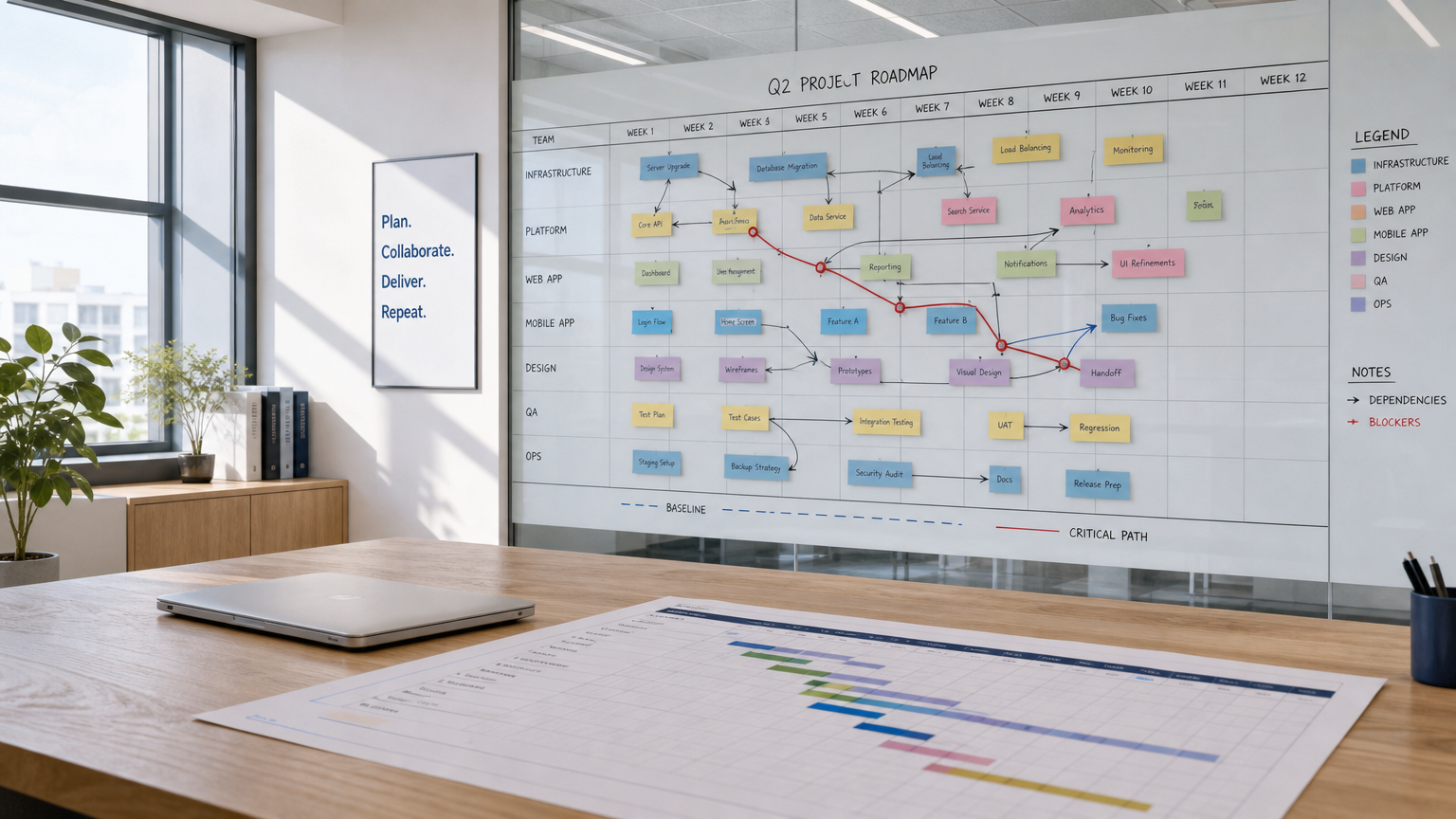
If you manage projects across multiple teams, you've likely faced the same problem: the scheduling tool your organization chose was bought for its dashboard or automation features, not for actual Gantt chart control. Two weeks before a deadline, nobody can answer the basic question, "How far off-plan are we, and which tasks are blocking everything else?"
This comparison is written for cross-functional project managers, operations leads, and PMO stakeholders who coordinate shared deadlines across departments or organizations. The central question is whether Starbrix or monday.com gives you more reliable scheduling control for multi-team work in 2026. The answer depends almost entirely on what you mean by "scheduling."
Quick verdict: which platform fits which team
Choose Starbrix if your priority is advanced project scheduling combined with resource and capacity planning across multiple projects. Starbrix supports all four dependency types (FS, SS, FF, SF), lead/lag offsets, automatic critical path calculation, baselines, and automatic schedule recalculation. Resource leveling is integrated into the scheduling model, taking planned workload, competencies, availability, working calendars, vacations, and assignments in other projects into account.
Starbrix also connects planning with execution. Gantt, Kanban, Calendar, workload, and personal work views share the same project and task data, while automated notifications can manage task handoffs. These rules can be built into reusable project templates, allowing scheduling, responsibilities, and information flows to be applied consistently across new projects.
Choose monday.com if your priority is highly configurable, board-centric work management across teams, with visual no-code automation, a broad library of ready-made integrations, and dashboards and workload widgets that aggregate information from multiple boards. monday.com provides Gantt, dependencies, workload management, and other project-planning capabilities, but its overall model is centered on flexible boards and workflows that organizations can configure for many different types of work.
The distinction is therefore less about scheduling versus capacity planning, since Starbrix addresses both. A more useful comparison is how the platforms connect them. monday.com provides flexible work-management building blocks, dashboards, and automation around its board model. Starbrix integrates dependencies, schedules, planned hours, competencies, resource capacity, multi-project workload, and project execution into a connected planning model, so changes in resource availability and project conditions can directly influence the resulting schedule.
Gantt scheduling features compared: dependencies, critical path, and baselines
This is where the comparison gets specific. Both platforms support Gantt charts, dependency links, critical path, and baselines. The meaningful difference is how deeply those constructs are integrated into day-to-day scheduling versus treated as add-on views.
Dependency behavior and date cascading
In Starbrix, dependencies are scheduling dependencies: when a predecessor task's end date shifts, successor tasks move accordingly. This cascade behavior is what makes Gantt scheduling functional for multi-team work. You set up a dependency once, and date changes propagate without manual recalculation.
monday.com supports dependency columns on boards and renders them visually in Gantt view. Dependency behavior in terms of automatic date shifting is something to verify during a trial, as the depth of cascade automation can vary depending on your board setup and plan tier.
Critical path
monday.com's support documentation (July 2026) states: "To use a critical path, your sheet must be in Gantt view." That's the prerequisite. Critical path highlighting exists but is activated contextually within the Gantt view. For teams that need to monitor the critical path as a standing management signal rather than an on-demand view, this distinction matters.
Starbrix surfaces critical path as part of Gantt-based scheduling oversight, making it accessible alongside the task hierarchy rather than requiring a mode switch.
Baseline snapshots and schedule variance
Both platforms support baseline snapshots. monday.com's support documentation (August 26, 2026) describes the process: "Take a baseline snapshot in your Gantt by clicking on 'Baseline' at the top of your Gantt and then selecting 'Add a new snapshot'." The baseline then appears as a visual reference against the current plan.
Starbrix uses the same conceptual workflow: save the base plan once, then compare current changes against it later. The baseline renders as thin red or black bars overlaid against the normal task bars, making variance immediately visible without any export or calculation step.
Baseline bars are not limited to the Gantt view of an individual project. Starbrix can also display them in a consolidated view that brings together all active projects and their underlying tasks, complete with baselines and dependencies. Similar consolidated views are available in project overviews within operational areas and even in each user's personal menu. This gives a project manager a single visual overview of all their projects, where current schedules, baseline dates, task dependencies, and deviations can be reviewed across multiple projects at once.
For a project manager reviewing ten active projects, this visual approach makes it much faster to identify schedule changes and potential issues across the entire project portfolio than reviewing projects individually or scanning a data table.
What to validate in trials: When testing either platform, configure at least one dependency chain, shift a predecessor's end date, and confirm whether successor dates move automatically. Then take a baseline snapshot and push a task past its planned end date. Check whether variance appears without manual steps. These two tests reveal the scheduling depth behind the feature marketing.
Scheduling feature Starbrix monday.com Gantt view Yes, scheduling-first Yes, view on boards Dependency type Scheduling dependency with cascade Dependency column + Gantt links Critical path Yes, Gantt-level Yes, requires Gantt view (Jul 2026 docs) Baseline snapshot Yes, thin red or black bars vs. current Yes, via "Add a new snapshot" (Aug 2026 docs) Variance visibility Visual overlay, no export needed Available within Gantt snapshot Milestones Yes Yes Days Left numeric monitor Yes Not a native construct
Portfolio and cross-project scheduling for multiple teams
Portfolio scheduling means different things to different tools. In Starbrix, a portfolio is organized by operational area, customer, or partner, giving managers a structured view across multiple live projects without having to open each one individually. You can see project and workload status, customer-specific details, and task-level visibility in a single click. That structure is baked into the product's information architecture, not assembled via a dashboard widget.
monday.com approaches cross-project oversight through dashboard aggregation: you build a dashboard that pulls data from multiple boards, add workload widgets and progress charts, and that dashboard becomes your cross-project view. It works, but it requires setup. The dashboard is as useful as the board data feeding it, and when task structures vary across boards, aggregated views can be inconsistent.
Concrete scenario: design to installation handoff
Consider a construction or engineering program with three teams: design, procurement, and installation. Each team has its own project, but installation can't begin until procurement closes, and procurement can't start until design delivers.
In Starbrix, these handoffs are modeled as dependency-linked tasks within a portfolio structure. When the design team updates its completion date, the downstream tasks in procurement and installation reflect that change in the Gantt. The portfolio view shows all three projects with live scheduling status.
In monday.com, you'd typically set up three boards, build a cross-board dashboard, and manage the handoff dates manually or via automation rules triggered by status changes. The automation approach is flexible and can be made to work, but it represents a different mental model: the schedule is enforced through rules rather than structural dependencies.
Resource management and workload balancing
monday.com's resource planning story is built around its Workload Widget, which provides a visual overview of capacity across team members and multiple boards. For operations managers who want to see who is overloaded or has capacity available across their workflow boards, this provides a useful resource-management layer.
Starbrix approaches capacity planning as an integral part of project scheduling rather than primarily as a dashboard layered on top of projects. Resource capacity, planned workload, task schedules, and assignments are connected, allowing the scheduling engine to calculate not only whether a person is overloaded but also how that person's actual availability affects the project schedule.
For each task, Starbrix can define the amount of work required and assign one or several resources. The system then calculates the schedule based on available capacity. If a person has eight hours of daily capacity but only four hours available because the remaining capacity is already allocated elsewhere, a 40-hour task will require approximately ten working days rather than five. Adding another suitable resource can increase the available capacity and shorten the calculated duration accordingly.
Crucially, these calculations are multi-project by default. When Starbrix determines a person's available capacity, it takes that person's planned workload in other projects into account. Project managers therefore do not plan resources as if each project existed in isolation. The same shared resource pool is reflected across the organization's concurrent projects.
Capacity planning can also take competencies into account. This allows planners to consider not only who has time available, but who has the right skills for the work. This is particularly important for engineering and professional-services organizations where resources are not interchangeable.
Working calendars add another dimension. Weekends, holidays, vacations, and other non-working periods can affect available capacity and therefore the calculated schedule. When dates, dependencies, workloads, or resource assignments change, Starbrix can recalculate the schedule based on the updated conditions.
Starbrix also supports detailed planned-hours allocation. Planned work can be distributed over the task period and viewed in resource and workload planning, giving managers visibility into how much work is expected from each person and when. This connects longer-term project scheduling with operational capacity planning instead of treating them as separate processes.
The "Days Left" indicator complements this capacity model rather than replacing it. It converts planned finish dates into an immediate operational signal: positive numbers indicate days remaining, zero means due today, and negative numbers identify overdue tasks. Managers can therefore monitor schedule exceptions while the underlying planning model addresses resource capacity and workload.
The practical difference is therefore broader than "who has capacity?" versus "which tasks are behind schedule?" Both platforms can help managers understand workload, but Starbrix connects capacity, planned hours, resource assignments, competencies, calendars, dependencies, and multi-project workload directly to schedule calculation.
Decision callout: When evaluating the two platforms, test more than the workload visualization. Create several concurrent projects, assign the same people to overlapping tasks, add planned hours, vacations, and skill requirements, and then change workloads and resource assignments. Compare not only how clearly each system shows an overload, but also whether resource availability can drive the resulting project schedule automatically. For organizations where resource capacity and project scheduling need to operate as one connected planning process, this distinction is particularly important.
Integrations and automation
monday.com's developer documentation describes its API as "an expressive GraphQL API to interact with your workflows, automate processes, power integrations, and more." The API is valuable for technical teams that need to connect monday.com to other enterprise systems, build custom integrations, or automate data flows. The platform also provides a large native integration ecosystem covering services such as Slack, Microsoft Teams, Google Workspace, Salesforce, and Jira.
monday.com's visual automation builder is one of its notable workflow features. Teams can create no-code rules such as "when status changes to Done, notify the next team," allowing status changes to trigger notifications and workflow handoffs automatically.
Starbrix provides similar automation directly within its project and task structure. Notifications can be triggered automatically when a project task starts or is completed, turning changes in the project schedule into practical workflow handoffs.
The recipient does not have to be predefined as a single person. Depending on the process, Starbrix can automatically notify the project manager, the person responsible for the next task, the people responsible for tasks that depend on the completed task, or any specified email address. This means that starting or completing one activity can automatically inform exactly the people whose work or responsibilities are affected by it.
An important advantage for repeatable project processes is that these notification rules can be configured directly in project templates. When new projects are created from a template, the notification and handoff structure is already in place. Teams do not have to recreate the communication workflow for every new project, and the same information flow can be applied consistently across all projects based on that template.
For example, an engineering project template could specify that when a design task is completed, the engineer responsible for the dependent review task is automatically notified. When the review is completed, the person responsible for the next dependent activity can be notified automatically. The project manager can also receive selected notifications without having to manually follow every task transition.
Starbrix complements these automated handoffs with its State and Status Description information. Automation handles the flow of information, while the task's current state and status description provide the context. A task can therefore be in progress while its Status Description explains that work is waiting for a supplier decision, customer approval, or another dependency.
The practical distinction is therefore not that monday.com provides workflow automation while Starbrix provides only status visibility. Both can automate workflow communication, but Starbrix can tie notifications directly to project tasks, their start and completion, responsibility, and dependency relationships. Combined with reusable project templates, this allows recurring project processes to carry their communication and handoff logic with them from the moment a new project is created.
Pricing and deployment
monday.com offers a free tier for limited seats and paid plans that scale by seat count and feature tier. Seat-based pricing with minimum seat requirements on some plans means that smaller teams evaluating enterprise-tier features should confirm the exact per-seat structure on the current pricing page, as tier structures and minimums are updated periodically.
Starbrix is free for personal use and small teams, with paid plans for larger organizations. The free tier is genuinely functional rather than a stripped-down trial, which matters for teams that want to evaluate scheduling depth before committing to a paid plan.
Cost driver Starbrix monday.com Number of users Free for small teams; paid scales with users Seat-based; free tier available Automation depth Included in plan Higher tiers for advanced automations Portfolio/cross-project views Included in plan structure Dashboard features vary by tier Advanced permissions Available in all plans Workspace/board-level permission model
The most common buying trap in this category: teams select a platform for its automation rules or dashboard flexibility, then discover six months in that they need proper scheduling controls (baselines, critical path, dependency-driven date shifting) that are either unavailable or require a higher tier. Before purchasing either platform, confirm that the specific Gantt features you need, baseline snapshots, cascade dependencies, critical path, are accessible on the tier you're evaluating, not just on the plan tier above.
Segmented recommendations and FAQs
Which platform fits your situation
Small team, single project type: Either platform works. If your team communicates primarily through task statuses and needs quick automation rules, monday.com's free or Basic tier is easy to set up. If you're running even a single project where schedule dates need to hold (client deadline, regulatory submission, construction phase), Starbrix's scheduling foundation is the better starting point.
Multi-department team with shared deadlines: Starbrix is the stronger fit. The portfolio view organized by operational area, combined with dependency-linked Gantt scheduling and Days Left monitoring, gives department heads and project managers a coherent view of where things stand without assembling it manually.
PMO or portfolio manager overseeing many concurrent projects: Starbrix is designed for this use case. Portfolio-level visibility across projects, baseline variance tracking, and multi-view synchronization (the same task appears consistently in Gantt, Kanban, and calendar views) reduces the reporting overhead that typically consumes PMO bandwidth.
Frequently asked questions
What's the difference between baselines and progress tracking? Progress tracking shows how much work is complete. Baselines show whether the schedule has drifted from the original plan. You need both: a task can be 50% complete and still be two weeks behind the baseline. Starbrix surfaces this via the visual baseline overlay; monday.com does the same through its snapshot system. Neither replaces the other.
What critical path behavior should I expect? Critical path identifies the sequence of tasks that directly determines the project end date. In monday.com, per the July 2026 support documentation, critical path is accessible within Gantt view. In Starbrix, it's part of the Gantt scheduling layer. The key question during a trial is whether the critical path updates dynamically as task durations change or requires a manual refresh.
Can I model dependencies across different teams' tasks? In Starbrix, dependencies are supported within the portfolio structure. In monday.com, cross-board dependencies require specific configuration and automation rules to enforce. For programs with strict sequencing between teams (design before procurement before installation), test this specifically during your trial.
How do I share projects with external stakeholders without exposing everything? Starbrix supports permissions at the member, project, and task level, so you can give a client or contractor access to specific projects or tasks without exposing unrelated work. monday.com's permission model (documented as of June 2026) uses a multi-layer system of roles plus workspace and board-level permissions, which is capable but requires deliberate setup for external sharing scenarios.
What if different teams want different views? Starbrix synchronizes Gantt, Kanban, and calendar views from the same underlying task data. A project manager can work from the Gantt while a team member manages their daily tasks from Kanban, both see the same truth. monday.com similarly supports multiple views per board. The distinction is whether the Gantt is the scheduling engine or one of several view options.
Decision checklist
Before choosing, answer these five questions:
- Do you need to track schedule variance against an original baseline? If yes, test how easily each platform lets you save a baseline and compare it visually with the current schedule. Starbrix supports one project baseline, displayed directly alongside the current planned and actual schedule using thin red or black bars. The baseline can also be resaved if a major replanning requires a new reference point.
- Do your projects have hard dependency chains where changes to one task should automatically affect others? If yes, test real scheduling behavior rather than simply whether dependency lines can be drawn. Starbrix supports FS, SS, FF, and SF dependencies, lead/lag offsets in days or weeks, automatic critical path calculation, and schedule recalculation when dependencies or dates change.
- Do you need to manage many concurrent projects and shared resources without manually aggregating the information? If yes, evaluate both portfolio visibility and the underlying scheduling logic. In Starbrix, multi-project capacity is part of the standard planning model: resource availability calculations take workload in other projects into account, together with working calendars, weekends, holidays, vacations, and resource competencies.
- Do you need capacity planning to influence the project schedule itself? A workload dashboard can tell you that someone is over-allocated. A deeper test is what happens next. In Starbrix, planned hours, resource capacity, competencies, existing workload in other projects, and availability can directly influence task duration and schedule calculations. This connects the questions "who has capacity?" and "when can the work realistically be completed?" rather than treating them as separate planning problems.
- How deeply do you need to integrate project management with other business systems? monday.com provides a well-documented GraphQL API and a broad ecosystem of ready-made integrations. Starbrix also provides extensive API capabilities for connecting project management with accounting, ERP, invoicing, purchasing, inventory, customer, time, and other business data, and custom APIs and integrations can be developed for customer-specific processes. Evaluate whether your priority is a large library of ready-made connectors or the ability to create integrations around your organization's actual end-to-end processes.
For organizations where dependency-driven scheduling, critical path calculation, baseline control, resource leveling, skill-based planning, and multi-project capacity need to work together, Starbrix provides these capabilities as interconnected parts of the same project-management environment. Its scheduling model can combine dates and dependencies with planned work and the actual availability of resources across projects.
monday.com takes a different approach, combining flexible boards, dashboards, workload visualization, no-code automation, a broad integration ecosystem, and API access. The most useful trial is therefore not simply to compare Gantt charts. Build the same realistic multi-project scenario in both systems—with dependencies, shared resources, planned hours, vacations, changing workloads, workflow handoffs, and external integrations—and compare how much manual planning and coordination remains once the projects are running.
